Webull: Investing & Trading
- 4.6
- Rating
- 10.00M
- Installs
- Free
- Price

 Analysis by App-foxy
I approached Webull: Investing & Trading as a finance app for people who want more control than a basic savings or banking application provides. It brings stocks, options, crypto, futures, and ETFs into one place, which makes it appealing when I want to follow several types of investments without constantly switching between services. The app is free to download, although it includes in-app purchases ranging from $0.99 to $394.99 per item, so I would still read each purchase detail carefully before confirming anything.
My overall impression is that Webull is designed for an active, information-focused user rather than someone who only wants to check a long-term portfolio once every few months. The interface gives the impression of a trading workspace, with market information and order-related tools taking priority over a simplified, beginner-only experience. That can be useful when I am researching a position, but it also means I need to spend time learning where everything is and resisting the temptation to act on every short-term movement.
How Webull feels during everyday use
I find Webull most useful when I open it with a specific task in mind, rather than browsing markets without a plan. Its broad range makes it easy to move from checking an ETF to reviewing another kind of investment, but that convenience also makes it worth deciding in advance what I need to learn. That sets up a closer look at how its tools and choices shape a normal session.
You May Also Like

 Blood Strike: 2.5 Anniversary
Blood Strike’s Loadouts Turn Every Drop Into a Tactical Gamble
A close look at Blood Strike’s custom loadouts: how fast access to signature weapons reshapes its battle royale rhythm, rewards preparation, and narrows the gap between fights.

 Pandora - Music & Podcasts
Pandora’s Music Is Easy to Start, but Harder to Recover
Pandora’s strength is its low-effort path from a seed to a station. Its weak spot is how much confidence it asks you to place in connection, setup, and quiet recovery.

 8 Ball Pool
 Is Built on Rivalries, Rematches, and Routine
A close look at the rivalries, rematches, shared routines, and unanswered safety questions that turn a quick pool match into a persistent mobile community.

 Samsung Music
’s Quiet Strength Is Playing What You Already Own
Its reach comes less from spectacle than from dependable access to a personal library. That simplicity is both the app’s strongest retention engine and its ceiling.

 AccuWeather: Weather Radar
AccuWeather Review: A Quick, Clear Forecast for Everyday Decisions
For everyday plans, the best forecast is the one you can understand quickly. AccuWeather makes rain timing, radar, and local conditions easy to act on, with a few trade-offs.

 Hill Climb Racing
Why Hill Climb Racing Still Turns Crashes Into One More Run
A tiny car, a bumpy hill and one more upgrade: Hill Climb Racing keeps resurfacing because its simple chaos makes every near-miss feel personal.
More From Our News Desk



Quick access matters when markets are moving
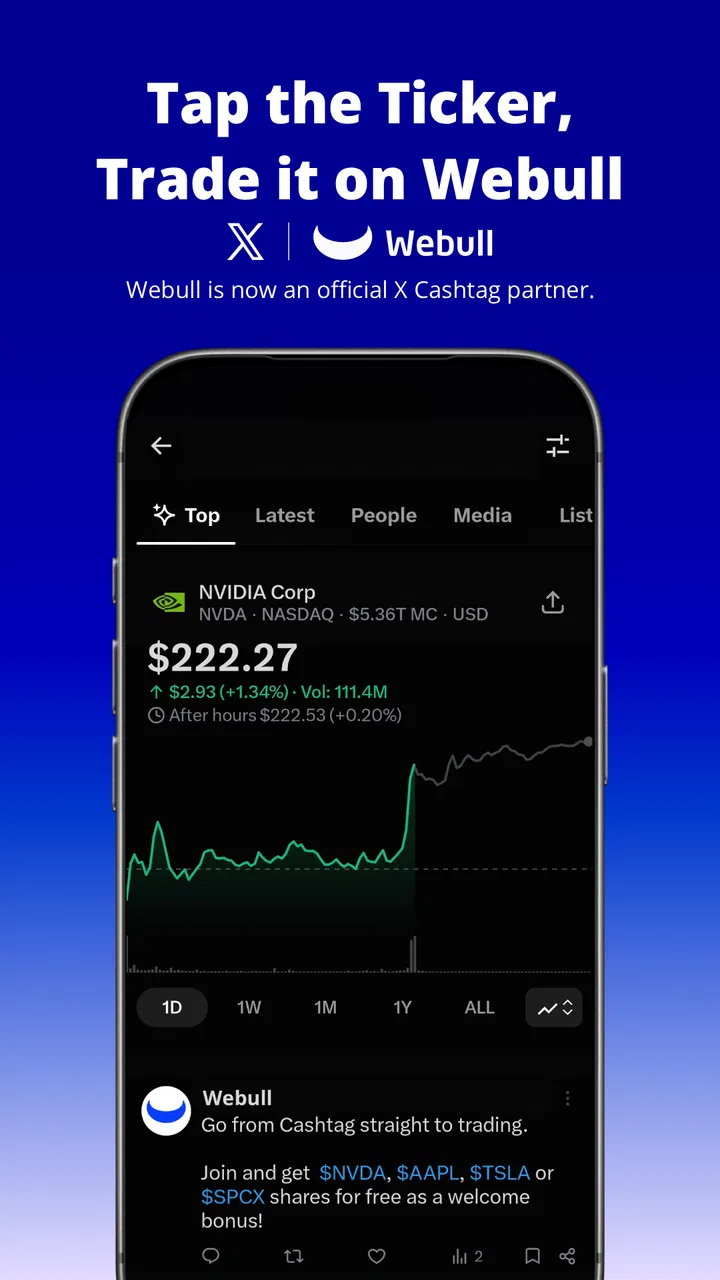
In a finance app, perceived speed is not just about opening the application quickly. I also care about how easily I can move from a watchlist to an asset page, inspect a chart, review an order screen, and return to the rest of my portfolio. Webull’s broad investment coverage makes that flow especially important. When one app handles stocks, options, crypto, futures, and ETFs, the value comes from keeping research and decision-making close together rather than scattering them across several accounts.
I would use it in a simple everyday situation like this: during a lunch break, I check an ETF I already follow, compare its recent movement with an individual stock, and then review whether an existing position still fits my plan. The app is more suitable for that kind of focused session than for casually tapping through a feed with no clear purpose. I found that having a specific question before opening it helps me avoid getting distracted by every chart or market change.
The experience should feel most comfortable for users who already understand basic investing terms. A new investor can still start with stocks or ETFs, but the presence of options, futures, and crypto means the surrounding information can feel more serious than what appears in a simple beginner investing app. My main speed tip is to organize the assets I actually follow instead of treating the entire market as my home screen. That reduces unnecessary searching and makes short review sessions more practical.
What happens during heavier use
Webull becomes more demanding when I use it as a research station rather than a quick portfolio checker. Looking at several instruments, moving between charts, reading market information, and preparing an order all require more attention than opening a balance screen. The app’s usefulness grows with the amount of information I am willing to process, but so does the chance of feeling overloaded.
This is where I see a clear trade-off. A stripped-down investing app may feel calmer because it hides much of the complexity. Webull is better when I want a wider view of the market and prefer having different investment categories available from one account. However, that wider view does not automatically make my decisions better. More screens and more instruments can encourage unnecessary activity, especially if I open the app without a written reason for checking it.
For heavier sessions, I would separate research from execution. I might first inspect a stock or ETF, note the reason it interests me, and only then open the order workflow. That small pause is useful because it prevents the action button from becoming the focus of the session. With options, futures, and crypto available, this discipline matters even more: these products are not interchangeable, and a familiar-looking interface should not make them seem equally simple or equally appropriate.
Another practical point is phone comfort. A detailed finance interface can become tiring on a smaller display, particularly when I am comparing several pieces of information at once. I would rather use Webull for a few deliberate checks than keep it open continuously throughout the day. That approach also reduces battery and attention demands without taking away its main benefit as a consolidated trading and research tool.
Stability and recovering from interruptions
Reliability in a trading app includes more than whether the screen stays open. I want to know where I am after switching to another application, receiving a call, losing focus, or returning later. A useful workflow should make it clear whether I am viewing information, preparing an order, or looking at a completed position. That distinction is particularly important when an app covers several asset classes with different levels of risk and complexity.
My practical habit is to verify the final state instead of relying on memory. After any important action, I would return to the relevant account or position view and check what the app shows. I would also avoid assuming that a partially completed screen means anything has actually been submitted. This is not a criticism unique to Webull; it is a sensible safeguard for any mobile trading tool, especially when an interrupted connection or accidental navigation could leave me uncertain about what happened.
The app’s large user base gives it a reassuring sense of maturity. Webull has an average rating of 4.6 from around 209 thousand ratings, and it has passed the ten-million-install mark on Android. Those figures do not guarantee that every device or network will behave identically, but they do suggest that the application is used at meaningful scale. I still would not treat popularity as a substitute for checking an order, reading an instrument carefully, or understanding the risks involved.
Recovery also depends on my own preparation. Before a busy session, I would make sure I know which asset I am viewing and whether I am researching, editing, or submitting an order. If I am interrupted, I would start by rechecking the account and instrument rather than continuing from the last screen automatically. That extra step may feel slow, but in finance it is preferable to recovering quickly from a mistake after acting too fast.
Older phones and operating-system considerations
The Android version listed for the app is 11.7.0.37, and it supports devices running Android 8.1 or later. That broad compatibility is helpful if I am using an older phone, but compatibility does not mean every device will feel equally comfortable. A phone with limited memory, a small screen, or an aging battery may handle a detailed finance app less gracefully than a newer model, particularly during longer research sessions.
I would be realistic about resource demands. Webull is not the sort of app I choose because I want the lightest possible financial interface. Its job is to present multiple investment categories and enough information for active decision-making, so I expect it to feel more substantial than a banking app that mainly displays balances and transfers. On an older device, I would keep other demanding applications closed, maintain enough free storage for normal updates, and avoid judging the experience from a single brief launch.
Android 8.1 support also makes Webull accessible to people who have not upgraded recently, but I would pay attention to how comfortable the device is for sensitive financial tasks. If text is difficult to read, scrolling feels cramped, or the phone frequently reloads applications, the problem is not solved simply because the operating system meets the minimum requirement. In that situation, a simpler alternative may be a better daily tool, even if Webull remains installed for occasional research.
On iOS, the same principle applies: a newer, larger device will generally be more pleasant for reviewing charts and moving through detailed screens than a compact or older handset. I would not choose Webull solely on the basis of device support. I would choose it if the phone lets me read every label comfortably and review an action without rushing.
Learning the app without turning it into a distraction
The first challenge is not installing Webull; it is building a personal routine around it. Because the app covers so many products, I would begin with the instruments I understand best. For many users, that may mean starting with a small watchlist of stocks or ETFs rather than immediately exploring options, futures, and crypto. This keeps the initial learning curve manageable and makes it easier to identify which parts of the interface are genuinely useful.
I would also treat the watchlist as a research tool, not as a list of instructions. Adding an asset because it is popular or moving quickly is different from having a reason to follow it. A more useful workflow is to write down why each item is there, what information would change my view, and how often I actually need to check it. Webull can bring many markets together, but it cannot decide whether constant monitoring is sensible for my goals.
Compared with a conventional bank app, Webull is the stronger choice when I want investment-specific information and access to several asset types in one finance-focused environment. A bank app is usually better for everyday money management, transfers, bills, and a simple view of cash. I would not replace my banking application with Webull, because the two tools serve different purposes.
Compared with a very simple investing app, Webull offers a more active style of use. That is an advantage for someone who wants to research and manage investments directly, but a disadvantage for anyone who prefers automation, minimal choices, or a nearly invisible investing experience. If my ideal routine is to make a broad long-term contribution and rarely inspect the account, a simpler platform may feel less distracting and easier to maintain.
Who gets the most value from it
I think Webull suits an investor who wants one mobile workspace for stocks, options, crypto, futures, and ETFs, and who is willing to learn the differences between those products. It can also suit someone moving beyond a basic portfolio view and looking for a more hands-on way to follow markets. The free price makes trying the app accessible, while the Everyone age rating keeps the entry point broad. Still, the age label should not be confused with a promise that every investment product is suitable for every user.
I would skip it as my main choice if I find market information stressful, if I want a completely automated approach, or if I am looking for a banking replacement. I would also be cautious if I tend to make decisions impulsively after seeing short-term price movements. The app’s range can be a strength for a disciplined user and a source of friction for someone who needs fewer decisions.
New investors should not feel pressured to use every section. Starting with a watchlist and learning how to review a stock or ETF is a more sensible introduction than jumping directly into complex products. Experienced users may appreciate the broader scope, but they should still judge the app by their own workflow: if the mobile screen makes careful analysis harder, a desktop-oriented setup or a simpler companion app may be more appropriate for detailed work.
Costs, purchases, and practical caution
Although the app itself is free, in-app purchases are listed from $0.99 to $394.99 per item. That range is wide enough that I would never tap through a purchase screen casually. I would first identify what the item provides, whether it is relevant to my normal use, and whether I actually need it. The free download is a reason to test the interface, not a reason to assume every optional expense is necessary.
I would also separate app-related purchases from investment decisions. Paying for an extra service or tool, where relevant, does not improve the underlying quality of an investment idea. My preferred approach is to use the free experience first, establish a consistent routine, and only consider an optional purchase if it solves a specific problem I can describe clearly. That keeps the financial workflow focused on decisions rather than features.
Security habits matter just as much as interface habits. I would use a strong device lock, avoid reviewing sensitive information on an untrusted connection, and take a moment to confirm the asset and action before submitting anything. Webull can make access convenient, but convenience increases the importance of slowing down at the exact point where a mistake could have consequences.
My performance verdict after using it as a mobile trading workspace
Webull feels best when I use it deliberately: open the app with a question, review a limited set of instruments, confirm what I am looking at, and close it when the task is complete. Its broad coverage gives it more practical range than a basic portfolio tracker, while its finance-first design makes it more suitable for active research than a standard bank application. The trade-off is a denser experience that asks more of my attention and may be less comfortable on older or smaller phones.
The developer, Webull Technologies Pte. Ltd., has built an app with a clear focus on bringing several investment markets into one mobile experience. The current version, 11.7.0.37, supports Android 8.1 and above, and the app is available at no download cost with optional in-app purchases. Those details make it easy to try, but the real question is whether its active style matches the way I want to invest.
My recommendation is positive for a careful, self-directed user who wants stocks, options, crypto, futures, and ETFs together and does not mind learning a detailed interface. I would recommend a simpler alternative for someone seeking quiet, automated, long-term investing or everyday banking. Webull is most valuable when its extra information improves a plan, not when it simply creates more reasons to check the market. Used with that boundary, it is a capable finance app; used impulsively, its breadth can become its biggest weakness.
FAQs for Webull: Investing & Trading
01What features does Webull offer for beginners in trading?
Webull provides a comprehensive set of tools suitable for beginners, including real-time market data, paper trading for practice, and educational resources like webinars and tutorials. The platform is user-friendly, offering a straightforward interface and easy access to essential trading information, making it a solid choice for those new to investing.
02Is there a cost associated with using Webull?
Webull offers commission-free trading on stocks, ETFs, and options, making it an attractive option for cost-conscious investors. However, users should be aware of potential fees related to margin trading, short selling, and certain account activities. Always review the fee structure on their website for the most accurate information.
03Does Webull support cryptocurrency trading?
Yes, Webull supports cryptocurrency trading, allowing users to trade popular cryptocurrencies such as Bitcoin, Ethereum, and Dogecoin. This feature is integrated within the app, offering a seamless experience for users looking to diversify their investment portfolios with digital currencies.
04What security measures does Webull implement to protect user data?
Webull employs industry-standard security measures, including encryption and two-factor authentication, to safeguard user data. The app also complies with regulatory requirements to ensure a secure trading environment. Users are encouraged to use strong passwords and remain vigilant about account security.
05How does Webull compare to other trading platforms?
Webull stands out with its commission-free trading, advanced charting tools, and a robust mobile app. While it may lack some of the in-depth research tools found on platforms like E*TRADE, its streamlined interface and cost-effective trading options make it a popular choice for both novice and experienced investors.
Pros
- User-friendly interface enhances navigation.
- Free trades with no commission fees.
- Real-time market data access.
- Advanced charting tools for analysis.
- Customizable alerts for stock movements.
Cons
- Complex features may overwhelm beginners.
- Limited cryptocurrency offerings.
- No fractional share trading available.
- Research tools could be more extensive.
- Customer support response times vary.

Webull: Investing & Trading
Gallery